Permission Configuration
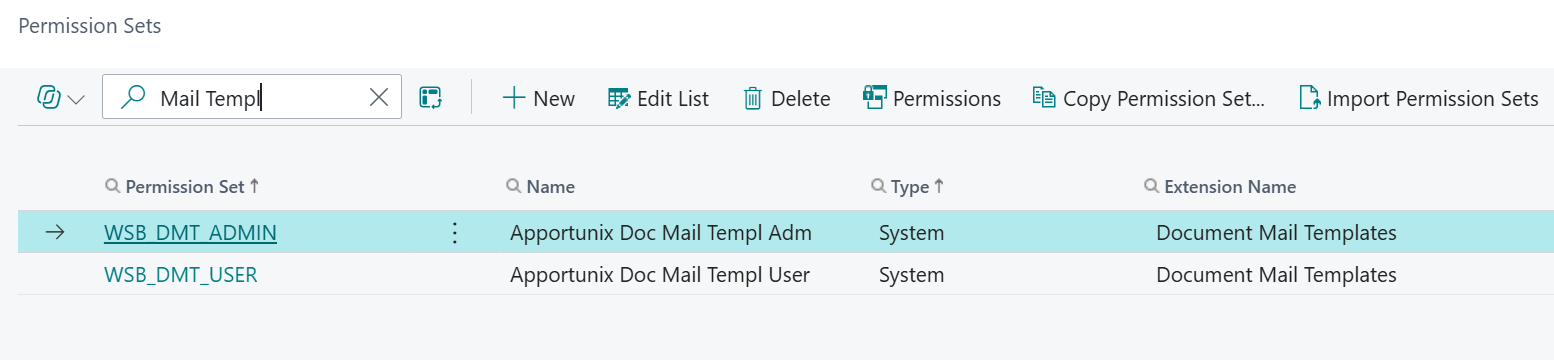
After the Document Mail Templates extension has been installed, new permission sets for the extension are added to your Business Central environment.
Info
The following permission sets are available:
-
WSB_DMT_USERA permission set that grants the user restricted permissions for rendering mail templates.
-
WSB_DMT_ADMINA permission set that grants the user permissions to all Document Mail Templates features.
Note
Edit Preferences on the Document Mail Templates list and template editor opens the current user's preferences. This page-level isolation is not a table-wide security restriction. Preferences are shared across companies.
The permission sets should be assigned to relevant users or groups of users.
To assign the permission set to users:
-
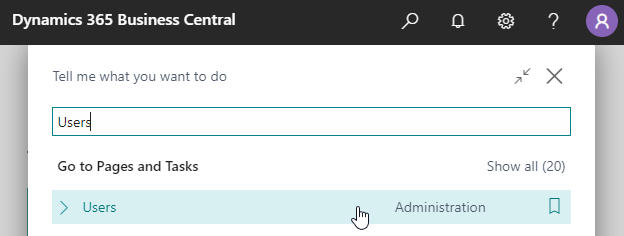
Use the Tell Me search feature (Alt+Q, or click on the ‑icon in the top right corner) to search for and open the Users page.
-
Select the user that you want to assign permission to.
Any permission sets that are already assigned to the user are displayed in the Permission Sets factbox.
-
Choose the Edit action to open the User Card page.
-
On the User Permission Sets FastTab, on a new line, fill in the Permission Set field with the permission set for the Document Mail Templates extension.
For more information, please refer to Dynamics 365 Business Central documentation page, Managing Users and Permissions on Microsoft Learn.