
Document Mail Templates
Document Mail Templates is a Business Central extension that lets you design your own personalized e-mail bodies for the documents you send from Business Central, such as sales invoices, orders, quotes, credit memos and reminders.
Why Document Mail Templates?
By default, Business Central composes a generic e-mail body when you send a document by e-mail.
Apportunix Document Mail Templates lets you replace that generic body with a modern and professional template of your own design, personalized with data from the document - such as the customer name, document number or totals - and, optionally, a distinct e-mail subject per document type.
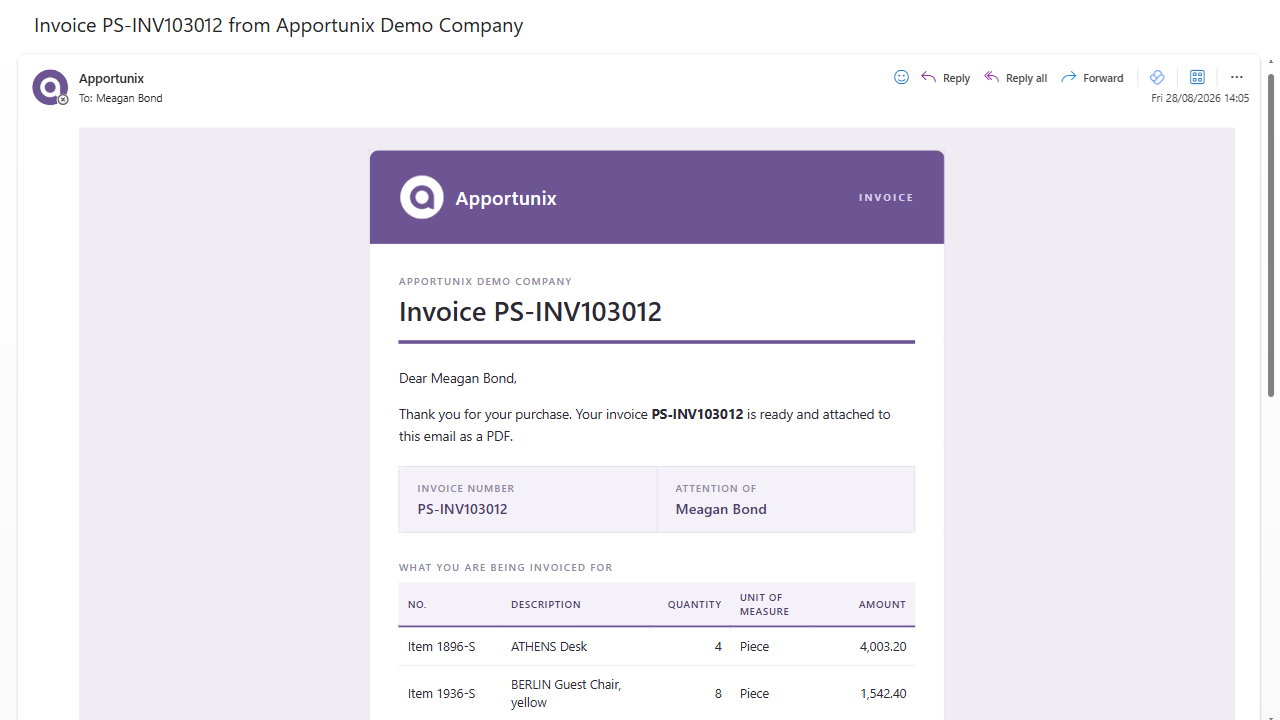
Here is an example of a modern and professional email template you can easily achieve:
How Document Mail Templates Works
Document Mail Templates adds a Document Mail Templates page to Business Central, where you view, create and manage your mail templates.
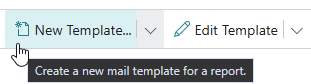
Creating a new mail template is quick and easy: start with a blank template, or make a copy of one of the built-in templates for common documents like sales invoices, orders, quotes, credit memos and reminders.
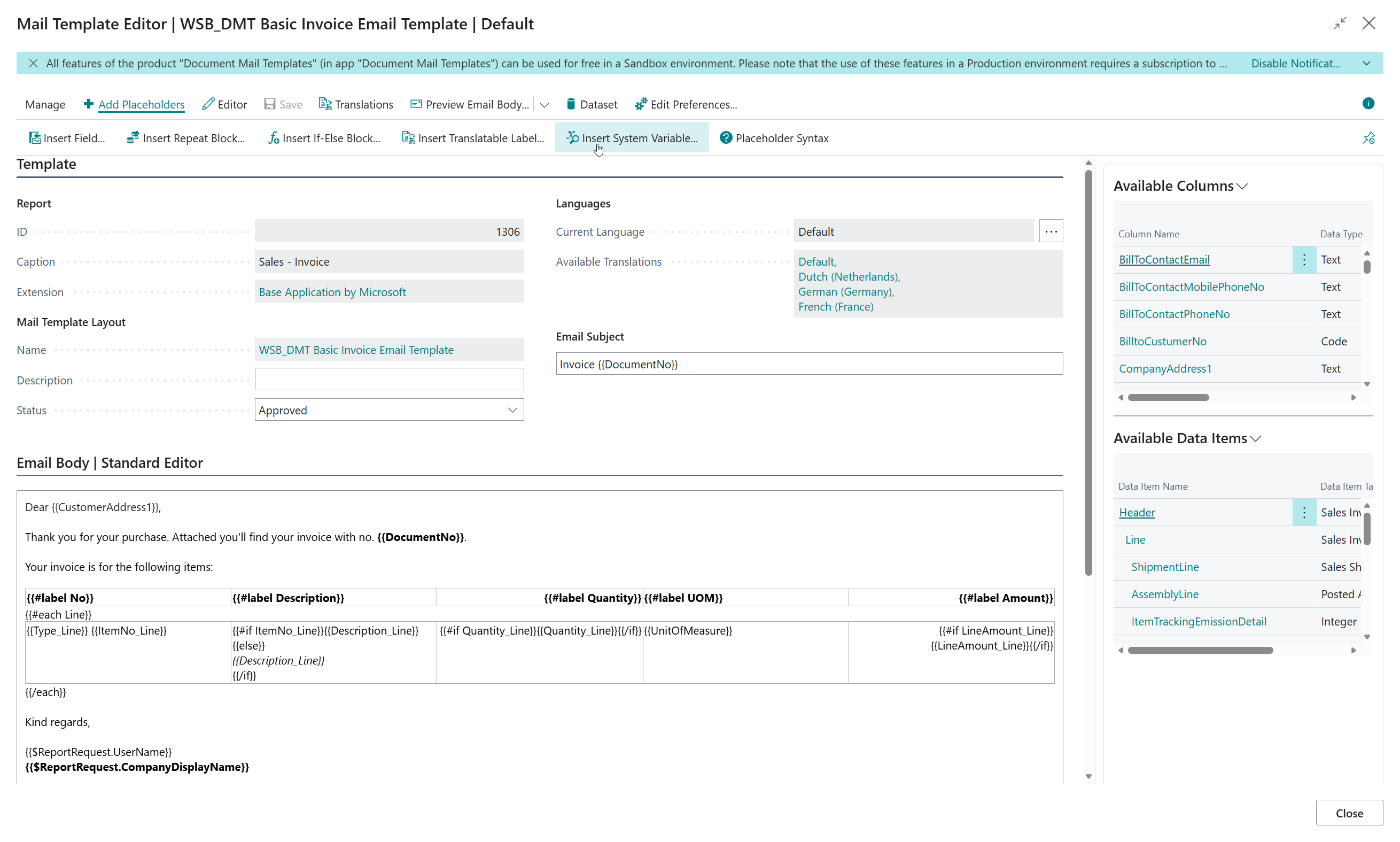
Use the intuitive Template Editor to design the e-mail body. Insert placeholders with a single click, without having to memorize any syntax.
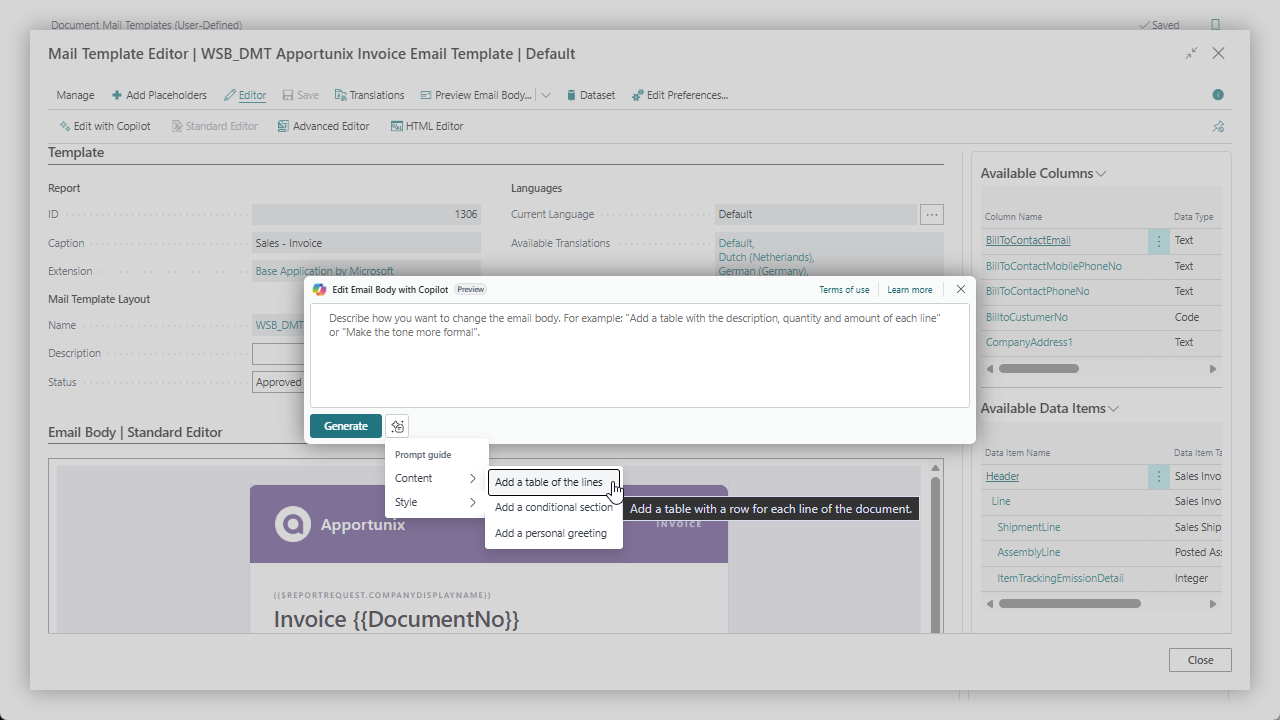
With the Edit with Copilot action, you can simply describe the change you want in your own words, and Microsoft Copilot gives you a solid proposal to start from - ready to use, or just a quick tweak away.
Need the e-mail in more than one language? Add a translation of the subject and body per language; Business Central automatically uses the version that matches the language of the document.
Once your templates are ready and approved, use Email Template Selection to choose which mail template is used for each document - optionally per customer or vendor.

Other features include, but are not limited to:
- Export & Import - Share a single mail template between companies and environments.
- Template Packages - Bundle several mail templates together into a single package, for example to move a full set of templates from test to production.
- Where-Used - Quickly find out where a mail template is currently being used before you change or remove it.
- Support File Analysis - Export a mail template together with sample data for troubleshooting.
How to Get Started
To get started with the Document Mail Templates extension, you need to install the extension - together with its prerequisite, the Document Creator extension - in your Business Central environment from Microsoft Marketplace. Please note that you can try out the Document Mail Templates extension completely for free by installing it directly from Microsoft Marketplace in one of your Business Central Sandbox environments; no trial period, no obligations!
In our online Installation Manual you can find all the instructions you need to install the extension and configure permissions. Then it is just a matter of opening the Document Mail Templates Setup Wizard page and following the steps, as described in the Setup section of the installation manual.
For more detailed information about the Document Mail Templates extension, and its features, please check out our User Manual.

Contact and Support
We hope you (will) enjoy using the Document Mail Templates extension to make sending personalized documents from Business Central much more convenient.
If you have any questions or feedback that you would like to share with us, please feel free to reach out to our Support team.